
Camera Architecture & Duo Cam
The last HTC phone I used with two rear facing cameras was the EVO 3D. Thankfully the M8 One doesn’t fall victim to the 3D fad of the early 2010s. I remember seeing Intel demos years ago (think Moorestown timeframe) that showed a smartphone with two rear cameras, each with a different lens system, in order to computationally improve image quality. Unfortunately, the M8’s Duo Cam system doesn’t go that far either.
| HTC One Cameras | ||||
| HTC One (M7) | HTC One (M8) | |||
| Front Camera | 2.1MP | 5.0MP | ||
| Front Camera - Sensor | OV2722 (1.4µm, 1/5.8") | S5K5E2 (1.12µm, 1/5") | ||
| Front Camera - Focal Length | 1.59mm | 1.83mm | ||
| Front Camera - Max Aperture | F/2.0 | F/2.0 | ||
| Rear Camera - Sensor | ST VD6869 (2.0 µm, 1/3") | OV4688 (2.0 µm, 1/3") | ||
| Rear Camera - Focal Length | 3.82mm (28mm eff) | 3.82mm (28mm eff) | ||
| Rear Camera - Max Aperture | F/2.0 | F/2.0 | ||
| Secondary Rear Camera - Sensor | - | OV2722 (1.4µm, 1/5.8") | ||
The architecture is pretty simple. The primary shooter is still the 4MP UltraPixel camera from last year, without optical image stabilization (more on this later). The secondary sensor is actually the front facing camera module from the M7 (OmniVision OV2722, 1080p sensor with 1.4µm pixels).
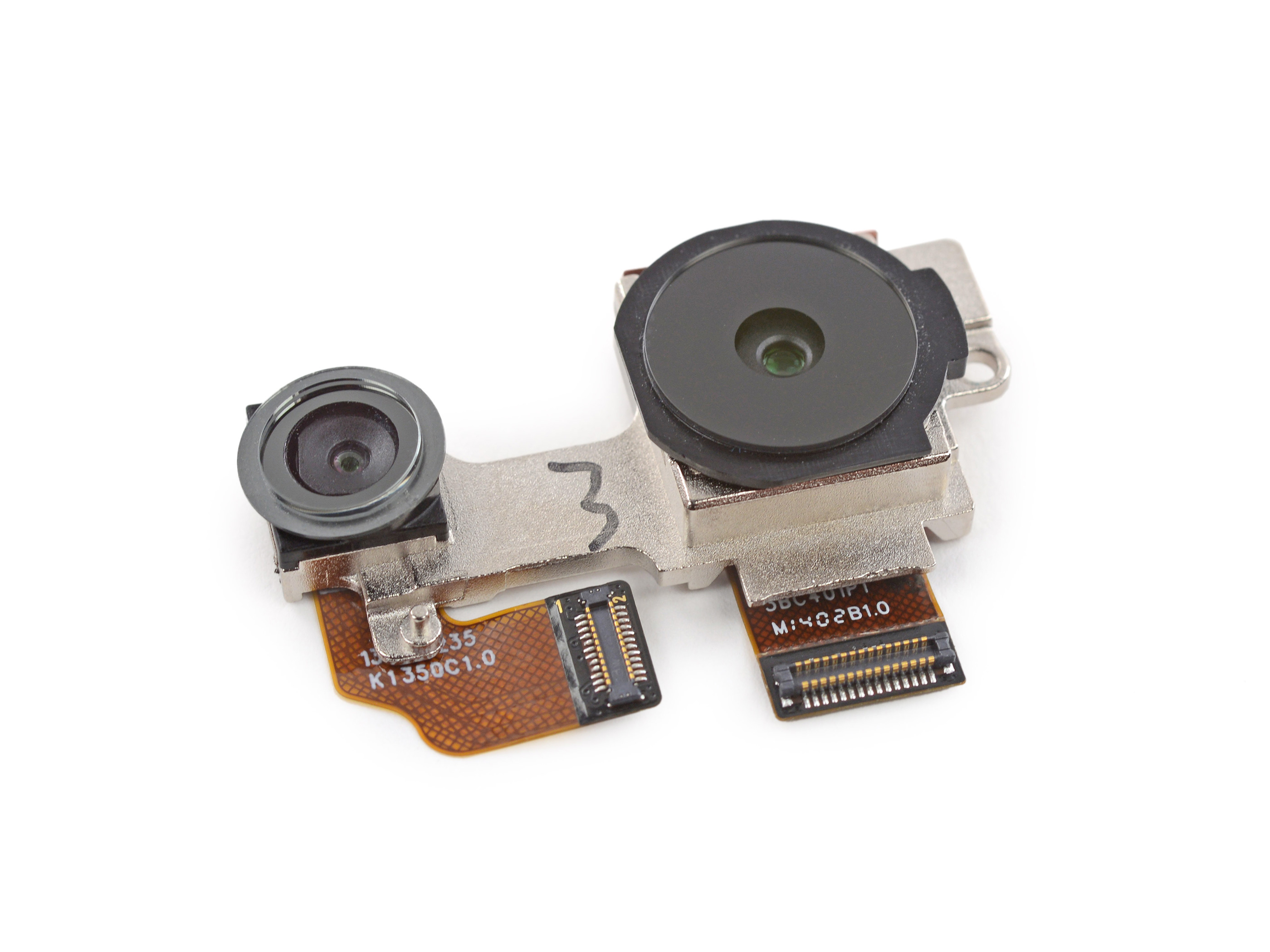
Assuming you’re shooting in the right conditions, both sensors capture an image although only the image from the primary sensor is displayed. The second sensor captures what appears to be a wider field of view, as well as stores some depth information about the scene. This added data is stored outside of the normal address space for a JPEG file, and allegedly in a non-readable format (although my guess is with enough time you’d be able to extract the secondary image).
Images captured with Duo Cam enabled end up being around 60% larger than those shot with the rear sensor alone. Around 40% of the added file size is due to the secondary 1080p image, while the remaining 60% of the data is depth information.
HTC uses this depth information to enable a number of post processing effects that can be done on the One itself. Simply take a picture using the rear facing camera, tap edit, then effects and you’re presented with a list of all of the Duo Cam effects available on the One.


No comments:
Post a Comment